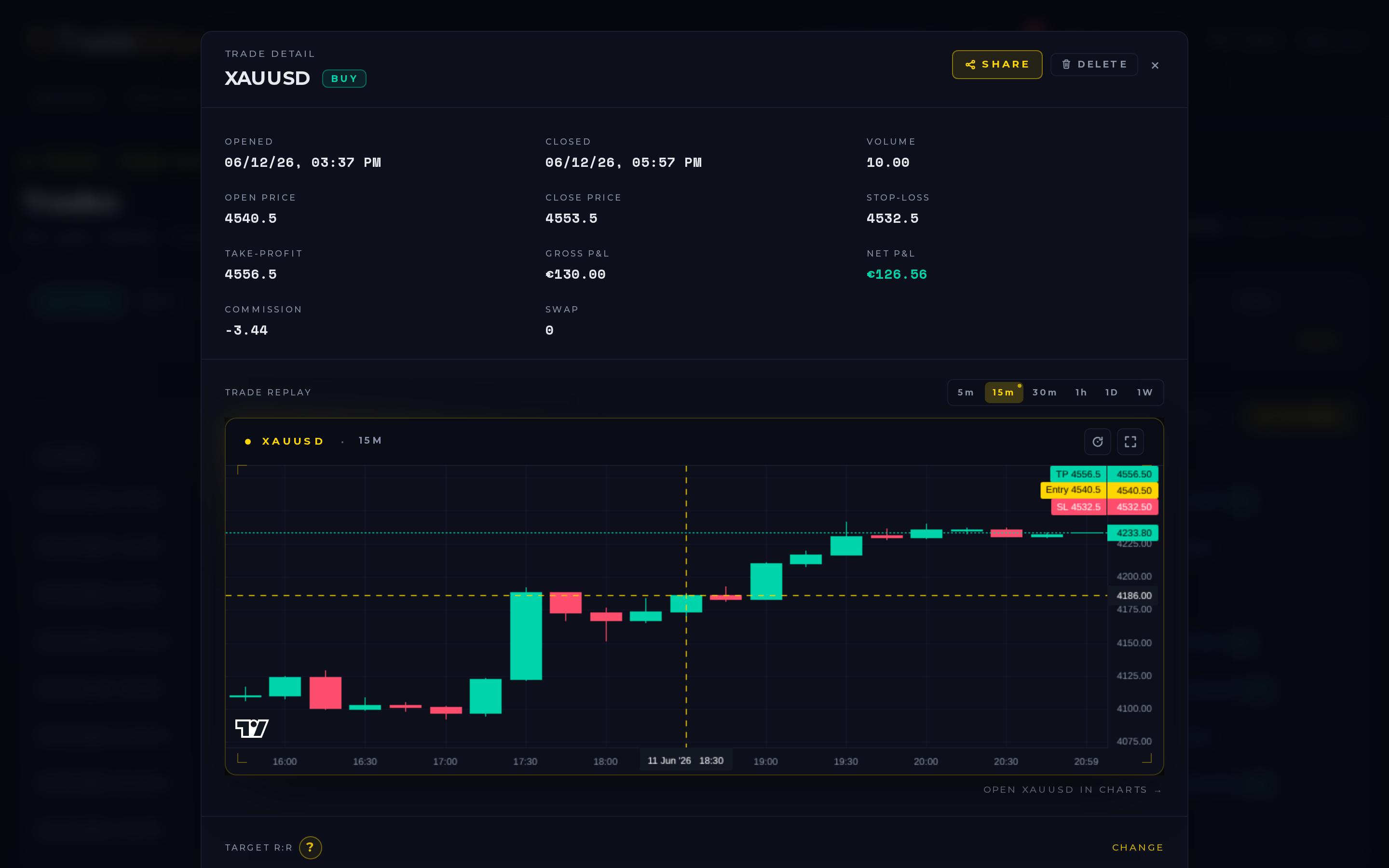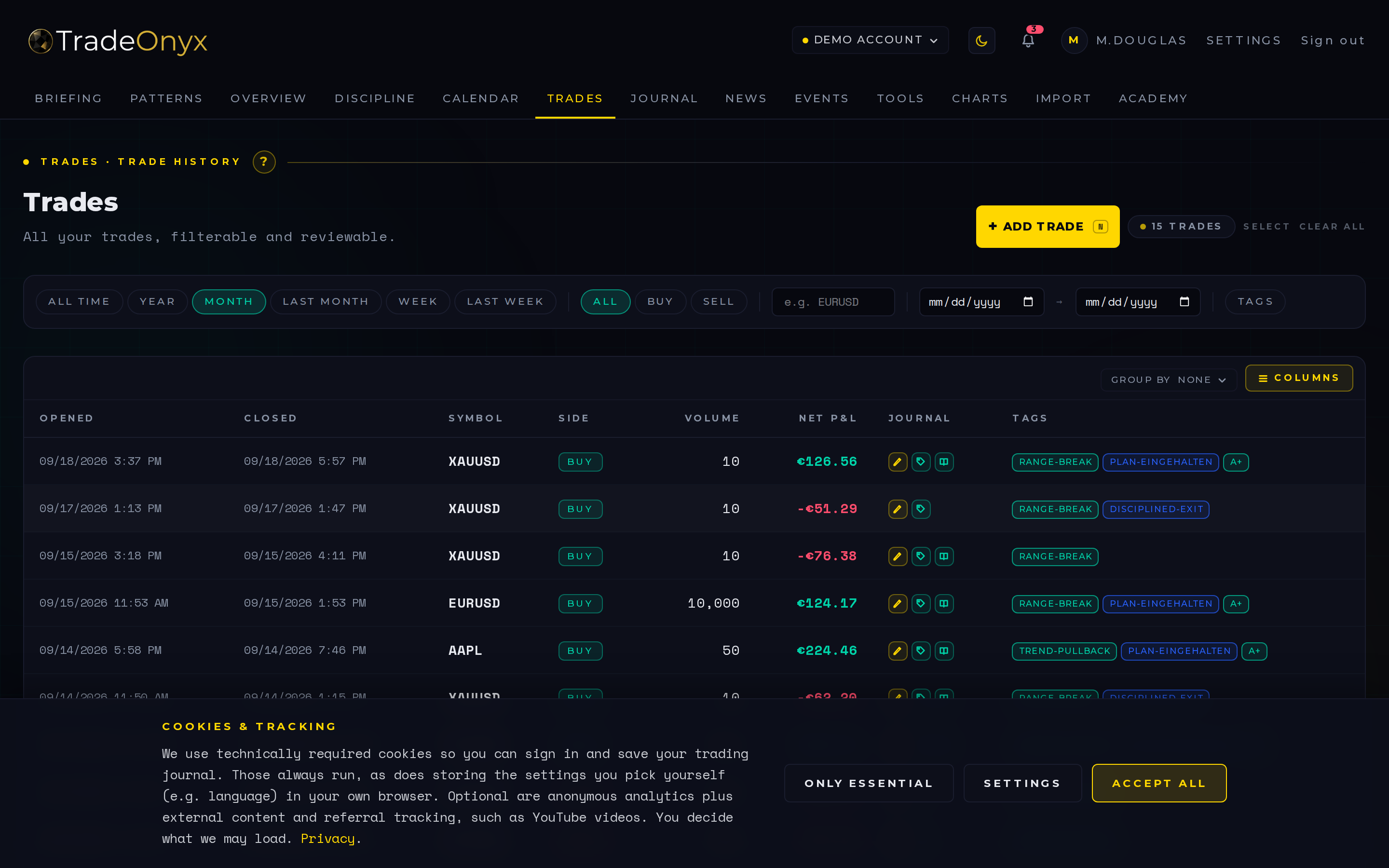
The Trades tab is the inventory of every position you've ever closed in TradeOnyx. Each row carries entry/exit price, direction, volume, P&L (absolute and in R), tags, the trading account, the playbook (if assigned), and a timestamp. Click a row to open the trade-detail modal — full chart, screenshots, journal review for that specific trade.
Filters along the top: period, account, symbol, direction, tag, playbook, R-multiple range. Combine them and the Overview-tab metrics auto-recompute on the filtered subset — letting you ask questions like "what's my expectancy on EURUSD long-only breakouts under 1R risk?" with three clicks instead of a SQL query.
Two presentation controls live next to the filters. The column picker toggles which columns are visible; the Markers column ships visible by default and packs four tiny glyphs per row — 📝 (reviewed), 🏷 (tagged), 📷 (screenshot attached), 📓 (journalled on the same day). One glance tells you which trades you've already done the post-mortem on and which still owe you a five-minute review. The Group-by dropdown re-organises the list into collapsible buckets per Symbol — a header row per symbol with trade count, win-rate and net P&L, sorted so the symbols moving the needle (good or bad) sit at the top. Click a header to expand the trades inside.
How to use the filters productively:
- Sort by P&L descending — your top 5 trades. If 80% of profit came from 5 trades over 200, you're not really edge-trading, you're streak-trading.
- Sort by P&L ascending — your worst losers. Almost always tell you something specific: same setup, same time of day, same symbol. That's the leak.
- Tag-group by setup — which setup has positive expectancy, which is dragging the average down. Cut the second one.
- Time-of-day filter — many traders are profitable in the first 90 minutes and break-even or worse afterwards. The data is in the Trades tab.
- Playbook column — trades inside a documented playbook should outperform un-tagged trades. If they don't, the playbook isn't real, it's a label.
- Group-by Symbol — fastest way to spot which instrument is actually paying you. The bucket header shows trade count + win-rate + net P&L; one symbol with a 70% win rate but a negative net P&L is small wins / big losses, a stop-loss issue. One symbol with a 30% win rate but a strongly positive net P&L is letting winners run, the right kind of profile.
- Markers column — scan the column for rows with three glyphs missing. Those are the trades you closed and never went back to review; they're the gaps in your own data. A weekly habit of clearing the un-marked rows makes every other tab on the dashboard sharper.
The Trades tab is where the Overview's macro picture gets dissected into actionable changes. The Overview tells you that profit factor dropped from 1.6 to 1.1 over the last quarter. The Trades tab tells you which trades caused the drop — usually a specific setup, a specific symbol or a specific time-of-day window — so the fix is "stop taking those" instead of "do better."
In TradeOnyx the Trades-tab filters and the Overview-tab metrics are live-linked: any filter you apply restricts the metric calculation to that subset. There's no export-to-Excel step. You apply filters, you read the recomputed numbers, you decide.
The pairing: Trades → Journal. Click any trade in the list and the trade-detail modal opens with its journal review, screenshots and execution grade in one view. That's the loop — find the leak in the Trades-tab aggregate, drill into the specific trades, read the journal note, identify the behavior, fix it. No spreadsheets. No coach. Just the data and your honesty.