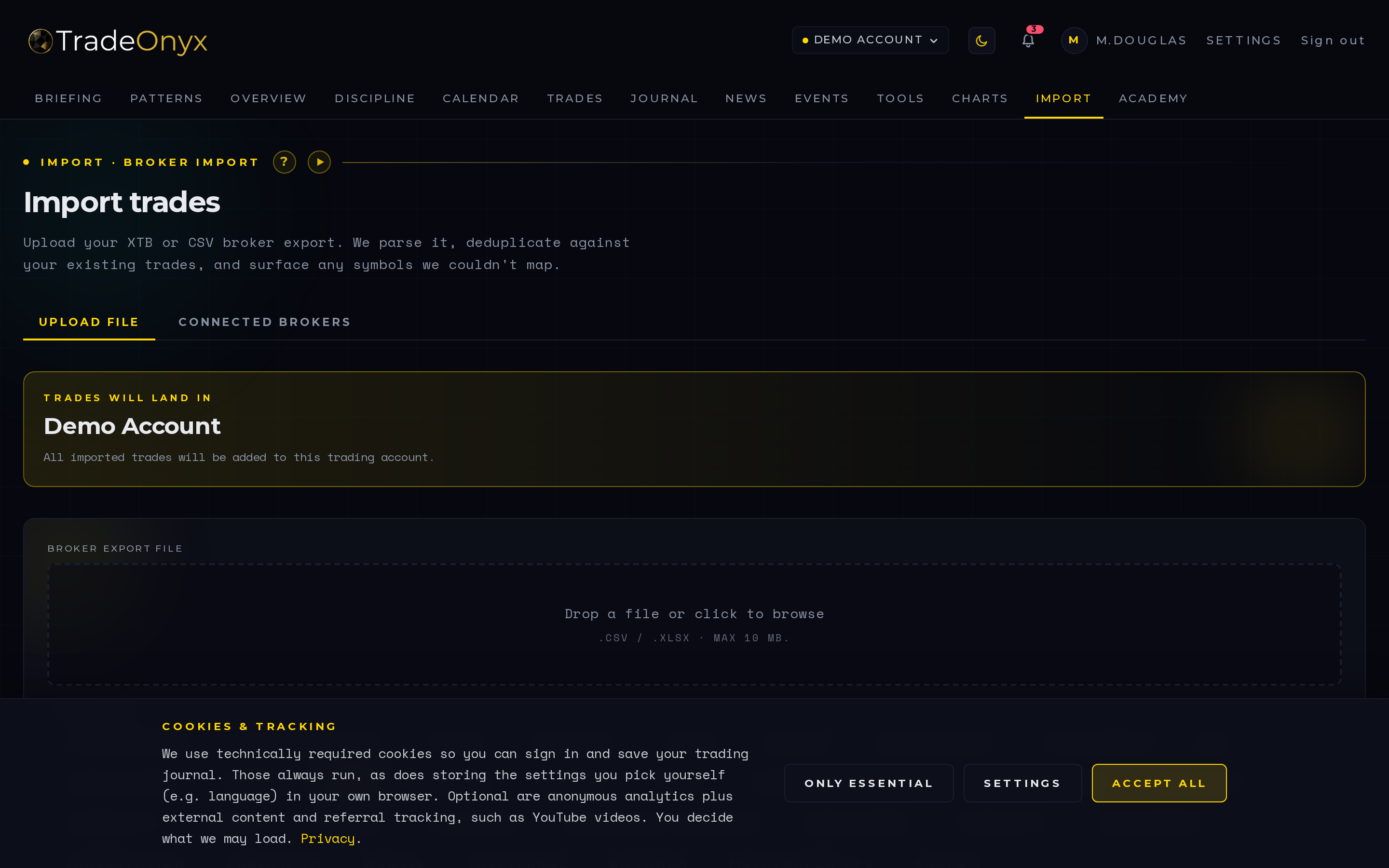
The Import tab is the on-ramp for everything that happened before you started journalling. Drop a CSV or Excel file from XTB, MetaTrader, Tradovate, Interactive Brokers, or any generic broker export, and TradeOnyx pulls the rows in.
Three things happen automatically. Dedup — trades you've already imported aren't duplicated. Symbol mapping — broker-specific tickers like "EUR/USD ECN" are matched to TradeOnyx's canonical "EURUSD". P&L compute — even if the broker's export is messy, the platform recalculates clean numbers per trade.
The per-broker timezone is the secret sauce. Pick the wrong timezone and a Friday 23:00 UTC trade silently shifts onto Saturday — your "winning Mondays" turn into "losing Sundays" and the report lies to you. TradeOnyx makes the timezone explicit per import and stamps every trade in UTC.
- Timezone first, everything else second — wrong timezone is a silent corruption that survives every later analysis.
- Dedup is what makes re-imports safe — drop the same file twice and nothing breaks.
- Symbol mapping is the long tail — every broker has its own quirks; the platform keeps the canonical view clean.
- P&L recompute catches broker bugs — if your broker's export rounds spreads weirdly, TradeOnyx recalculates from raw fills.
- Account selection scopes the import — multi-account traders import per account, not into a global pool.
- 30 seconds, not 30 minutes — the time saved over manual entry pays for itself the first session.
Day one with TradeOnyx, Import is where you start. Pull last year's broker export, set the broker timezone, attach to the right account in Settings, and the platform turns a CSV graveyard into a navigable history. Calendar, Overview, and Trades all light up with real data instantly.
Week-to-week, Import is the catch-up button. If you traded a session without journalling live, drop the export at the end of the day. TradeOnyx dedupes against what's already there, so only the new trades come in. Then walk into Journal and write the notes against rows that are already correctly stamped.
For multi-broker traders, Import is where the symbol-mapping discipline pays off. XTB calls it "EUR/USD ECN", IBKR calls it "EUR.USD" — both end up as EURUSD in TradeOnyx, so a single Calendar tile aggregates both accounts cleanly. That cross-broker normalization is exactly what the product is built to give you, instead of three separate spreadsheets that never reconcile.