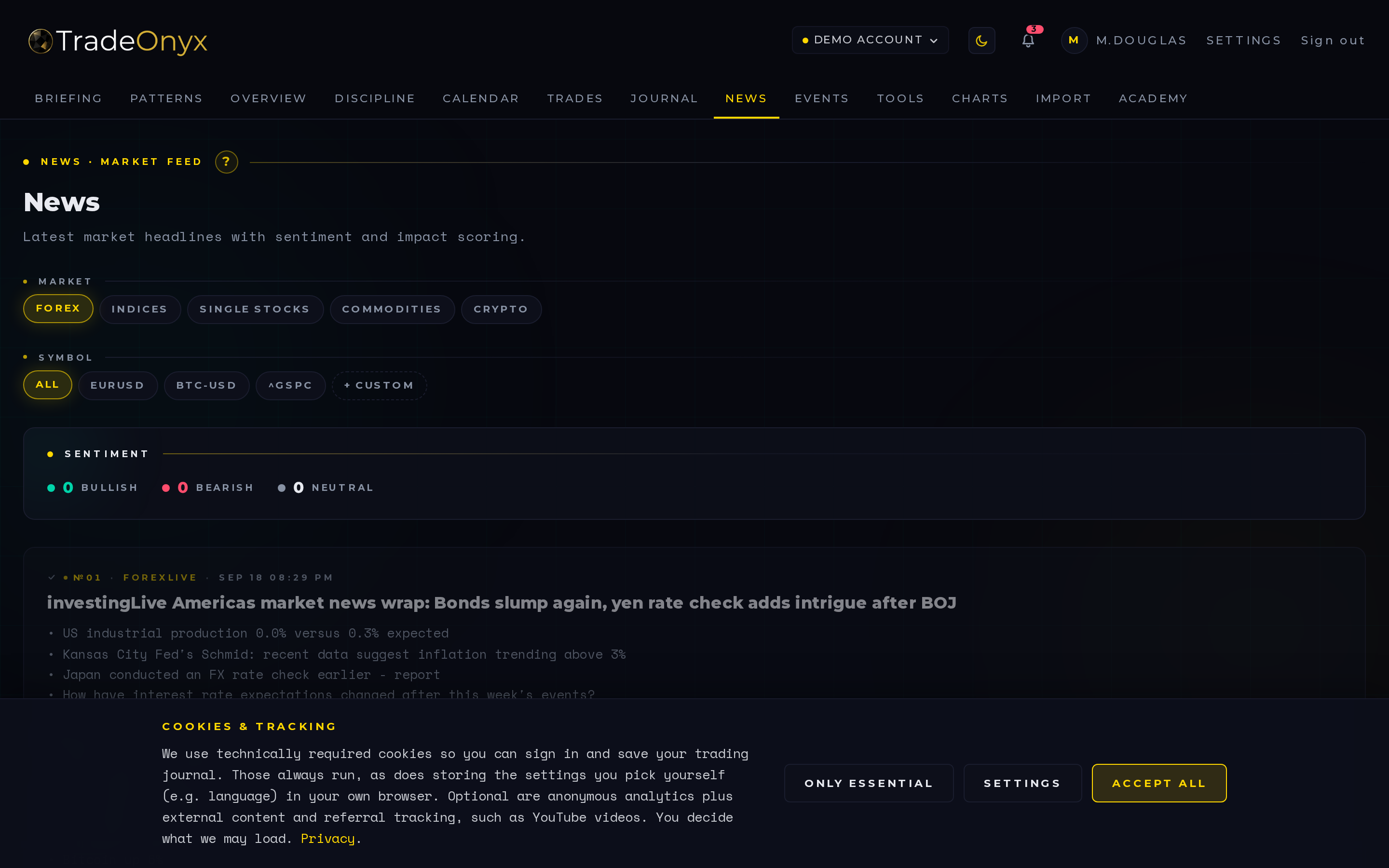
The News tab is a curated headline feed scoped to the asset class you trade. Set your default to forex, indices, stocks, commodities, or crypto in Settings, and the feed only shows you stories that move your market.
Every headline carries a past / fresh / upcoming visual ticker — a colored bar showing whether the news broke an hour ago, ten seconds ago, or is scheduled for later. Stale news at the top of a feed is one of the most common ways traders get fooled into reacting late; the ticker kills that ambiguity.
The feed is cached server-side from Finnhub, so it loads instantly and stays consistent across sessions. AI-generated per-headline analysis — sentiment, market impact, affected pairs — is the next iteration on the roadmap.
- Color of the freshness ticker is the first read — green-fresh demands attention, gray-past is context.
- Asset-class filter is doing real work — you don't see crypto rumors when you trade DAX.
- Cluster of fresh headlines = volatility incoming — three breaking lines on the same currency in a minute is your cue to widen stops or stand aside.
- Compare against the Economy tab — scheduled events vs. unscheduled headlines are different beasts.
- Use it pre-session, not mid-trade — the feed is a context tool, not an entry trigger.
- Cached, so refresh is cheap — flip back during the day to scan for shifts without hammering the upstream API.
Open News in TradeOnyx as part of your morning ritual, right after the Briefing tab. The Briefing already pre-digested the events; News fills in the unscheduled flow — the central-banker comment from an hour ago, the unexpected earnings beat, the geopolitical headline that just dropped.
Mid-session, when a setup looks ripe but feels off, News is your sanity check. A fresh red-bar headline on USD while you're long EURUSD changes the math. The asset-class filter you set in Settings means TradeOnyx only surfaces what's relevant — no noise from sectors you don't trade.
For post-mortems, jump from a losing trade in Trades back into News and scan the freshness ticker around your entry timestamp. You'll often find the headline that triggered the move you were on the wrong side of. That's the kind of feedback the platform is built to give you fast — not a generic news site, but a stream that knows what you trade and when.